What it does
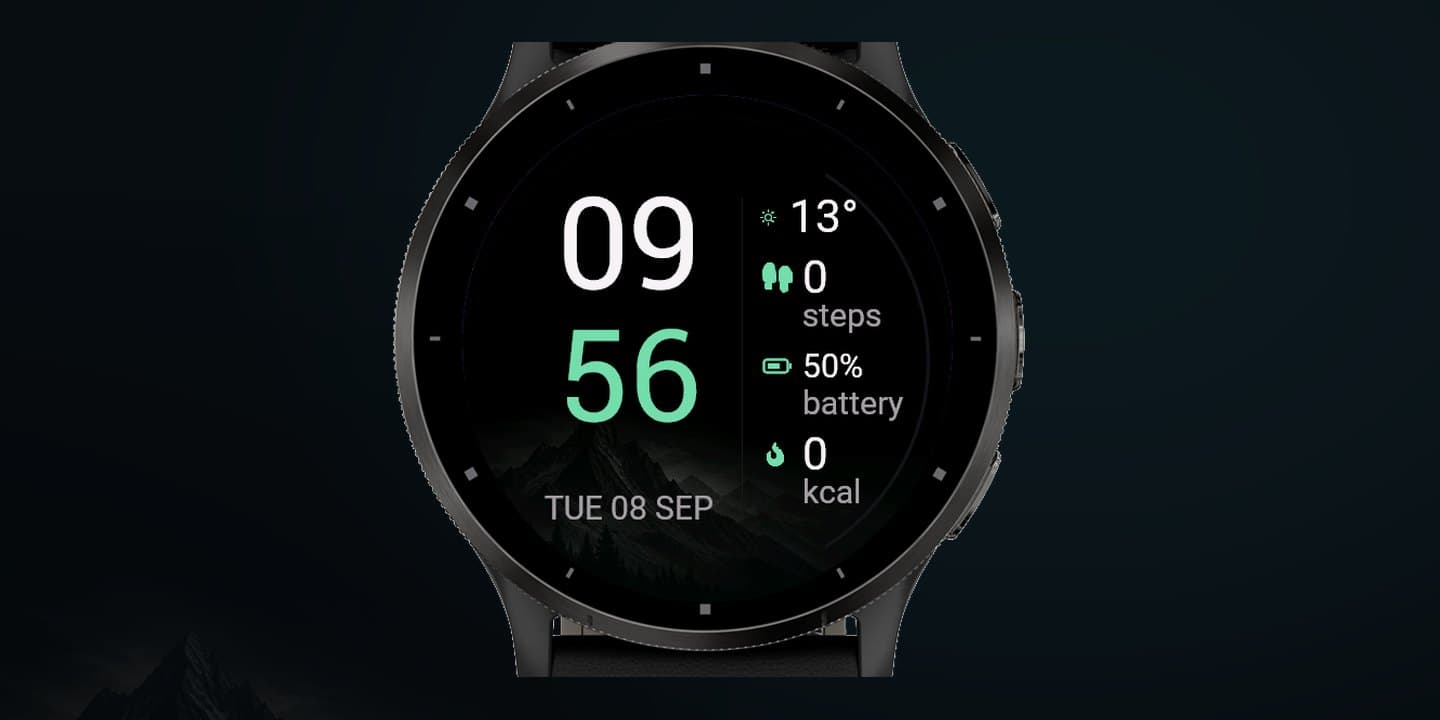
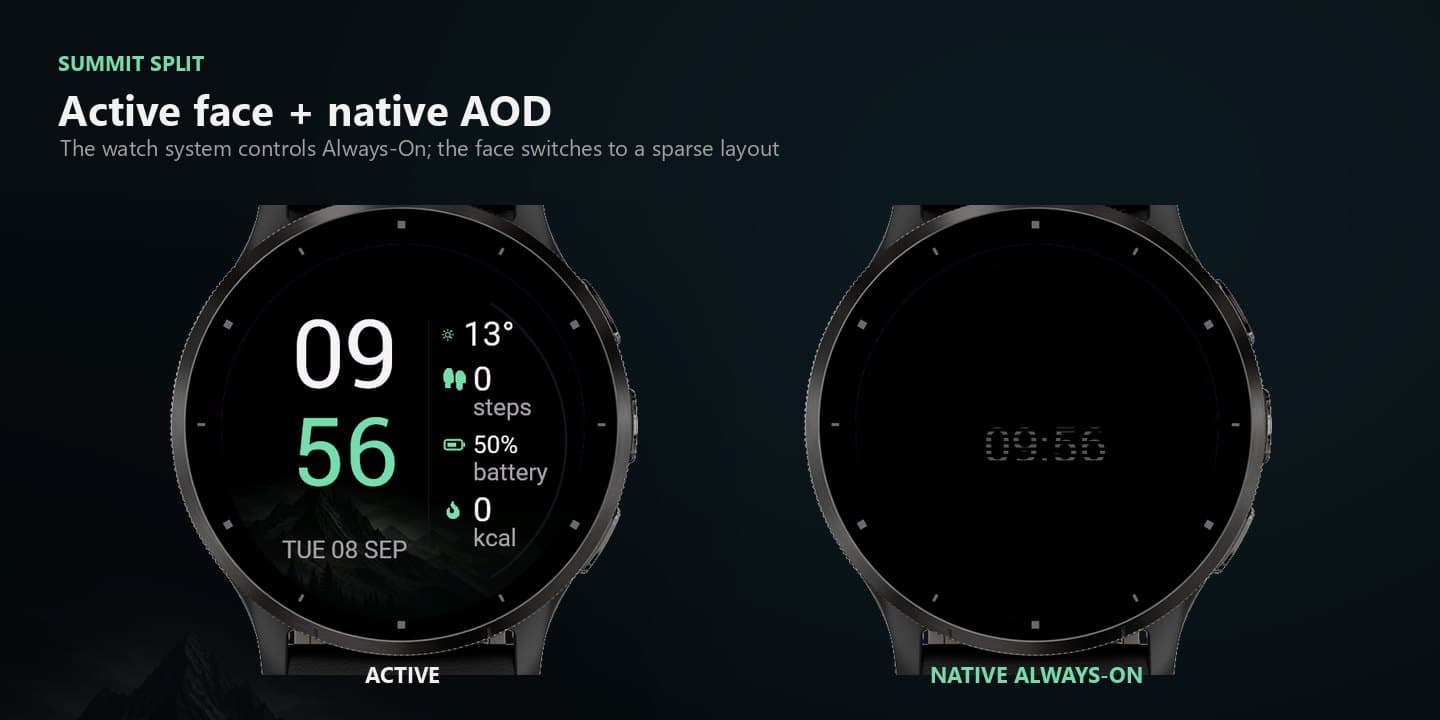
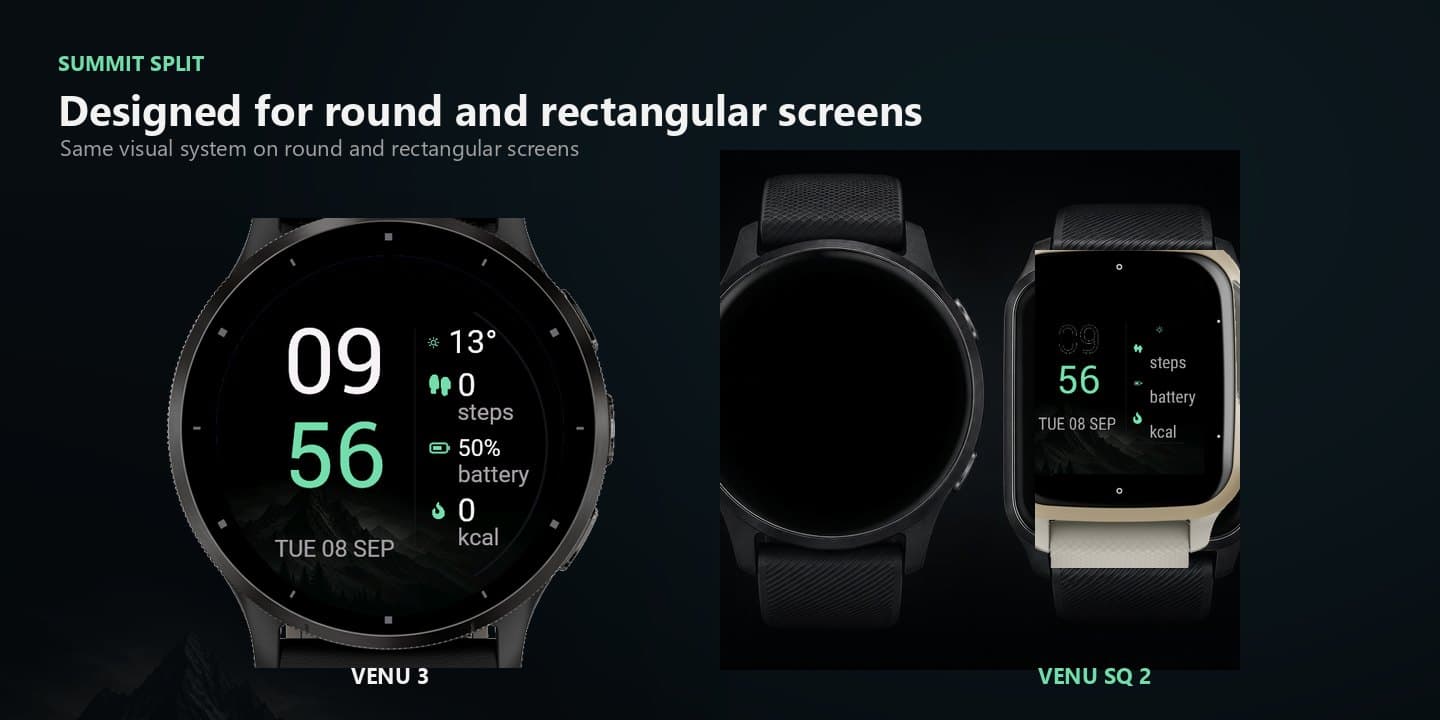
Summit Split is a clean mountain watch face that keeps time, weather, and daily health data in view. The large stacked clock stays readable while the right-hand data column gives you the essentials at a glance. Choose a themed, moonlit, or black background and tune the face on the watch or in Garmin Connect.
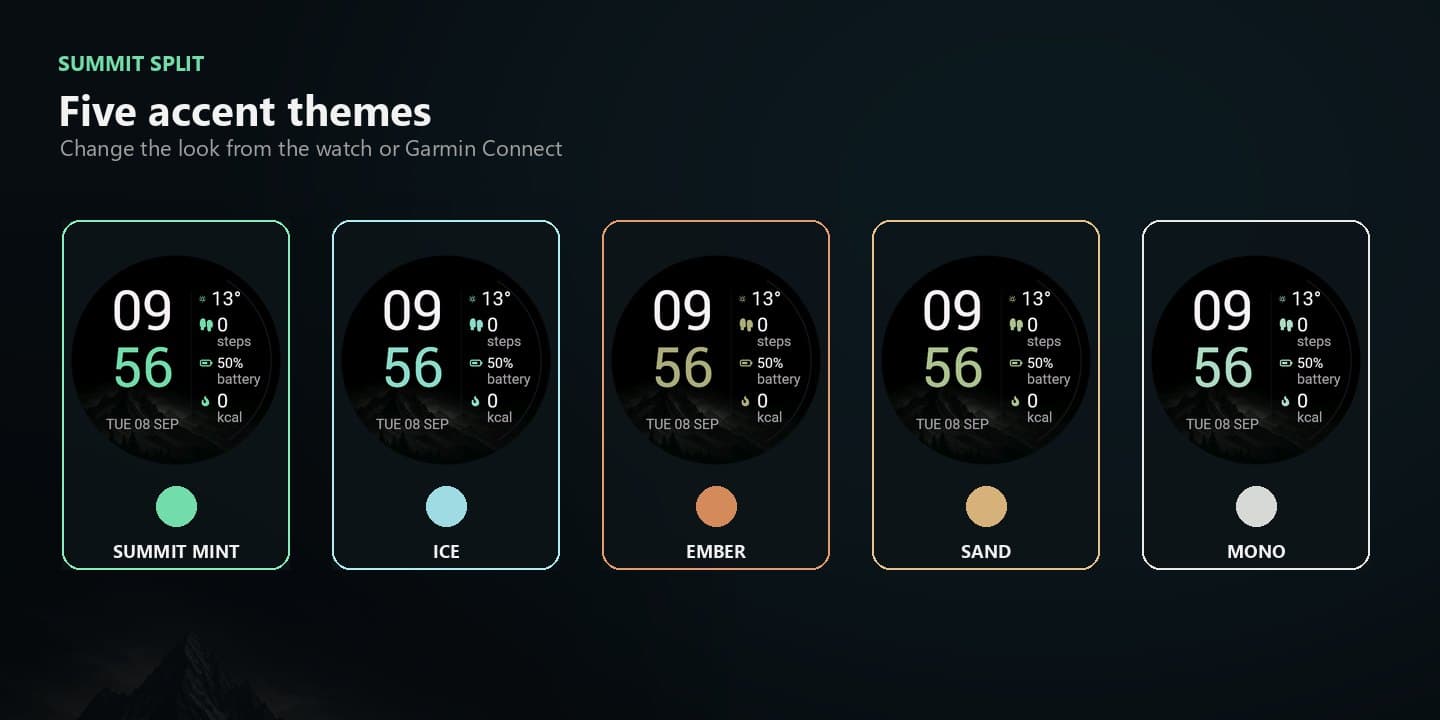
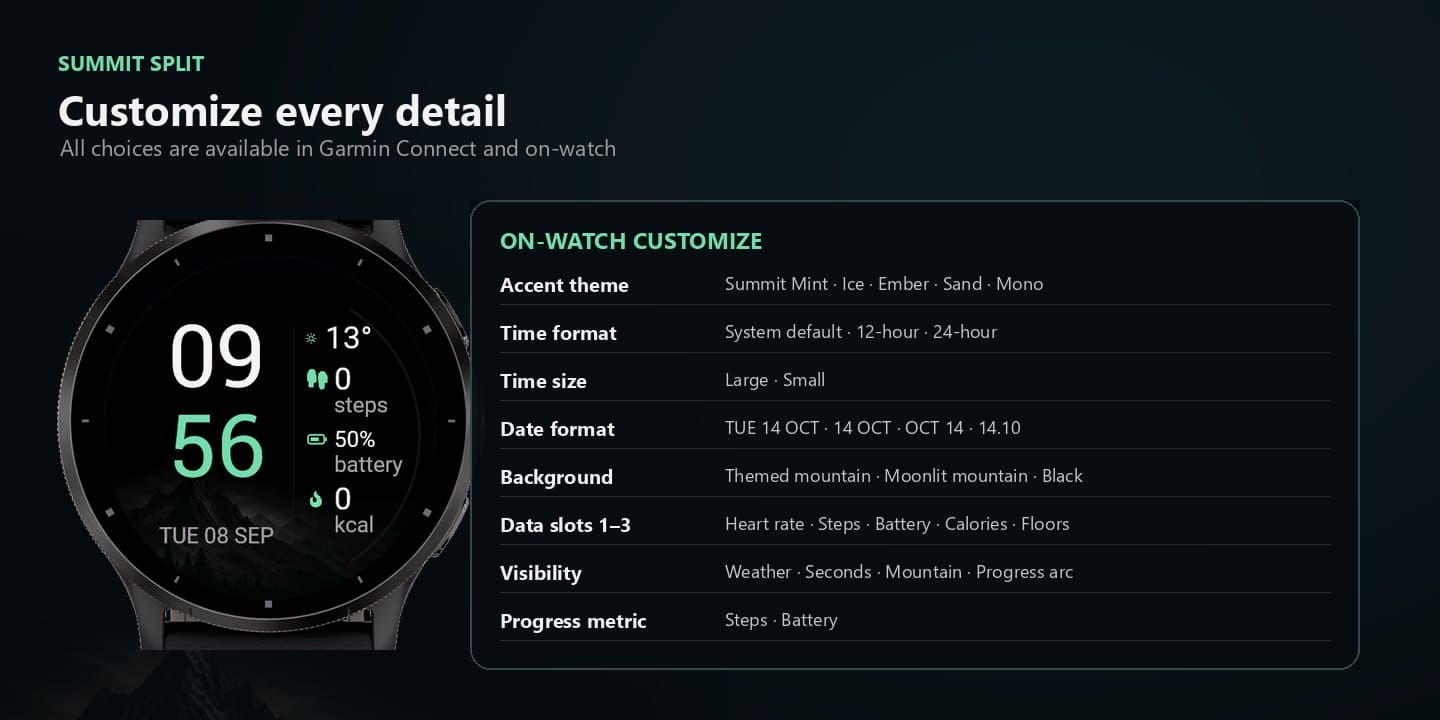
- Five accent themes plus themed, moonlit, and black background treatments
- Large or small stacked time with system, 12-hour, or 24-hour format
- Four date formats and configurable weather and seconds visibility
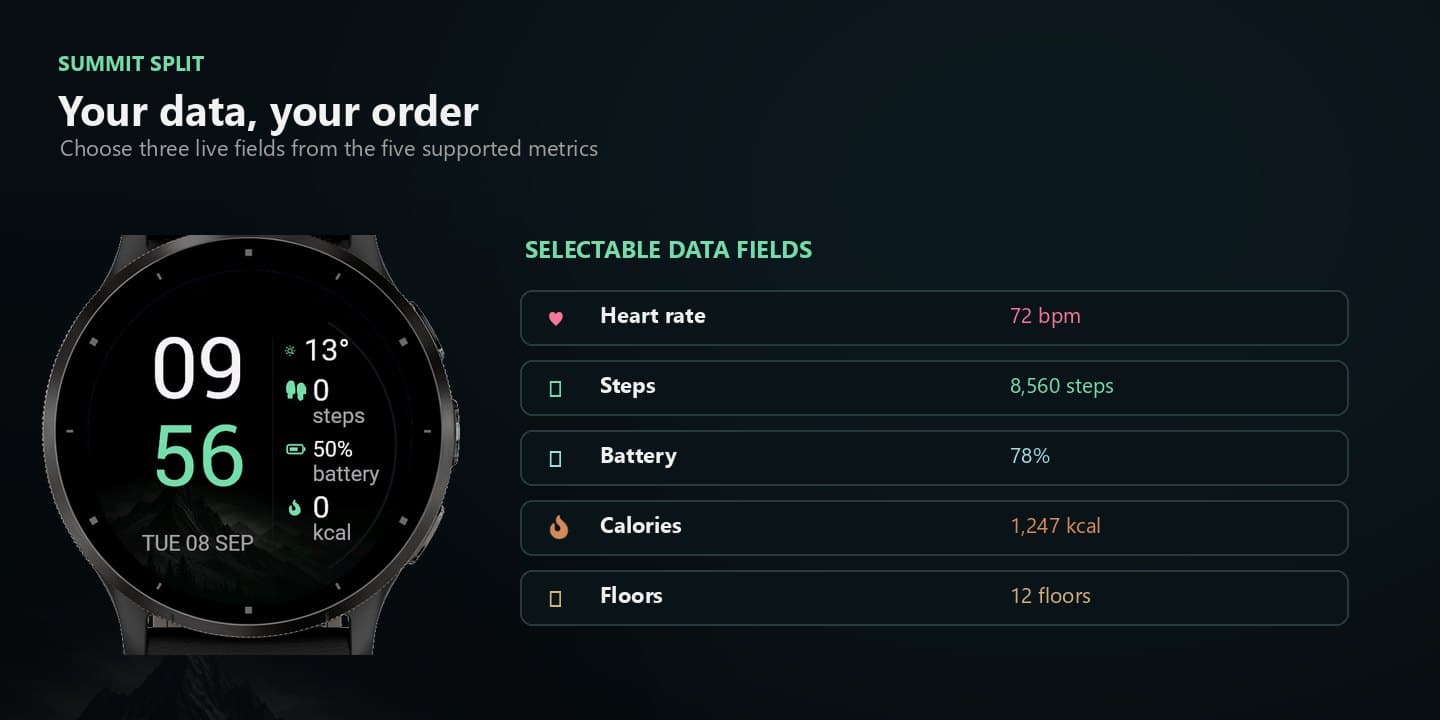
- Three configurable data slots for heart rate, steps, battery, calories, or floors
- Steps and battery progress arcs with round and rectangular layouts
- Native AMOLED Always-On with compact low-power rendering
How it works
Install Summit Split from Connect IQ.
Choose a theme, background, clock layout, date format, weather, seconds, and three data fields.
After the trial, enter the KiezelPay code at kzl.io/code to unlock the face.
Use the native Garmin Always-On layout; progress arcs and live fields adapt to the watch display.
Trial · KiezelPay
Install Summit Split from Connect IQ. After the trial the watch shows a KiezelPay code. Open kzl.io/code, enter the code, and pay once to unlock that watch.
- Install from Garmin Connect IQ onto the watch.
- The full product runs during the trial.
- When the trial ends, the watch shows a KiezelPay code.
- On the phone, open kzl.io/code, enter that code, and pay once.
- The unlock lands on that watch.
Compatibility
36 supported variants across Venu, Venu Sq, vívoactive, Forerunner, fēnix, Enduro, Instinct, Approach, D2, and Descent · Round and rectangular AMOLED layouts · Venu 3 / 3S / 2 / 2 Plus · Forerunner 165 / 170 / 265 / 570 / 970